Sorting 70,000 Photos Without Losing the Weekend
70,000 Images, No Clues
Last week, I wanted to find a specific photo from six to seven years ago that my mom had sent me on WhatsApp.
I’m not using the same phone I had back then, but being a responsible digital hoarder, I had backed up the image galleries as I switched phones, and kept them archived.
You know how WhatsApp used to save every image you received to the gallery in older versions?
When I finally opened the archive, I was hit with over 70,000 images. Everything from selfies, memes, documents, screenshots to food pics were quietly accumulated over the years. I knew the image I wanted was definitely in there, but finding it was like looking for a needle in a haystack.
Not all of these images matter, plenty are forwarded memes, screenshots and other junk. But buried somewhere in that pile are photos I actually care about: old family photos, celebrations, moments and memories I’d genuinely miss if they were gone.
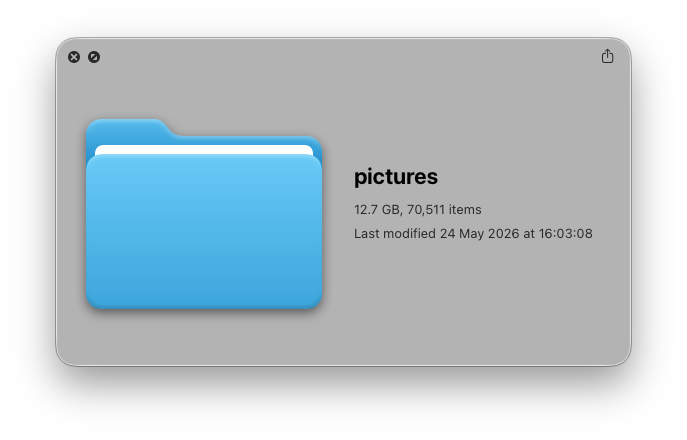
Sorting them manually was not possible at this point. Even at 5 seconds per image, that’s nearly 100 hours of work.
Here’s how I automated the sorting process with everything running locally on my machine, without uploading a single image to the cloud.
CLIP
The model I used is CLIP (Contrastive Language–Image Pretraining), developed by OpenAI. CLIP isn’t trained to generate images or describe them when pointed to one. It is trained to understand the relationship between images and given text. Feed it an image and a sentence, and it will tell you how much the image matches the description.
This makes it ideal for a classification task without any training. I defined 13 categories that were likely to be present in my archive: Chat Screenshots, Selfies, Person Photos, Memes, Food Photos, Nature Photos, Documents, Quotes, Charts and Infographics, Stickers and Illustrations, News Screenshots, Events and Celebrations, and Other.
Without labelled data or fine-tuning, CLIP could still categorise my images accurately. Here’s why:
Why CLIP Fits This Problem
Traditional image classifiers are usually trained on a fixed set of categories. You can’t add “Memes” or “Screenshots” without retraining on thousands of labelled examples of each. Which makes them useless for a categorisation task like this.
In contrast, CLIP was trained on 400 million image and text pairs grabbed from the internet, learning a shared embedding space where images and text can be directly compared as vectors. At classification time, it will encode your image and each category description into that space and pick whichever category is nearest. Since the categories are just sentences, changing or adding can be easily done by updating a single line of text, without retraining.
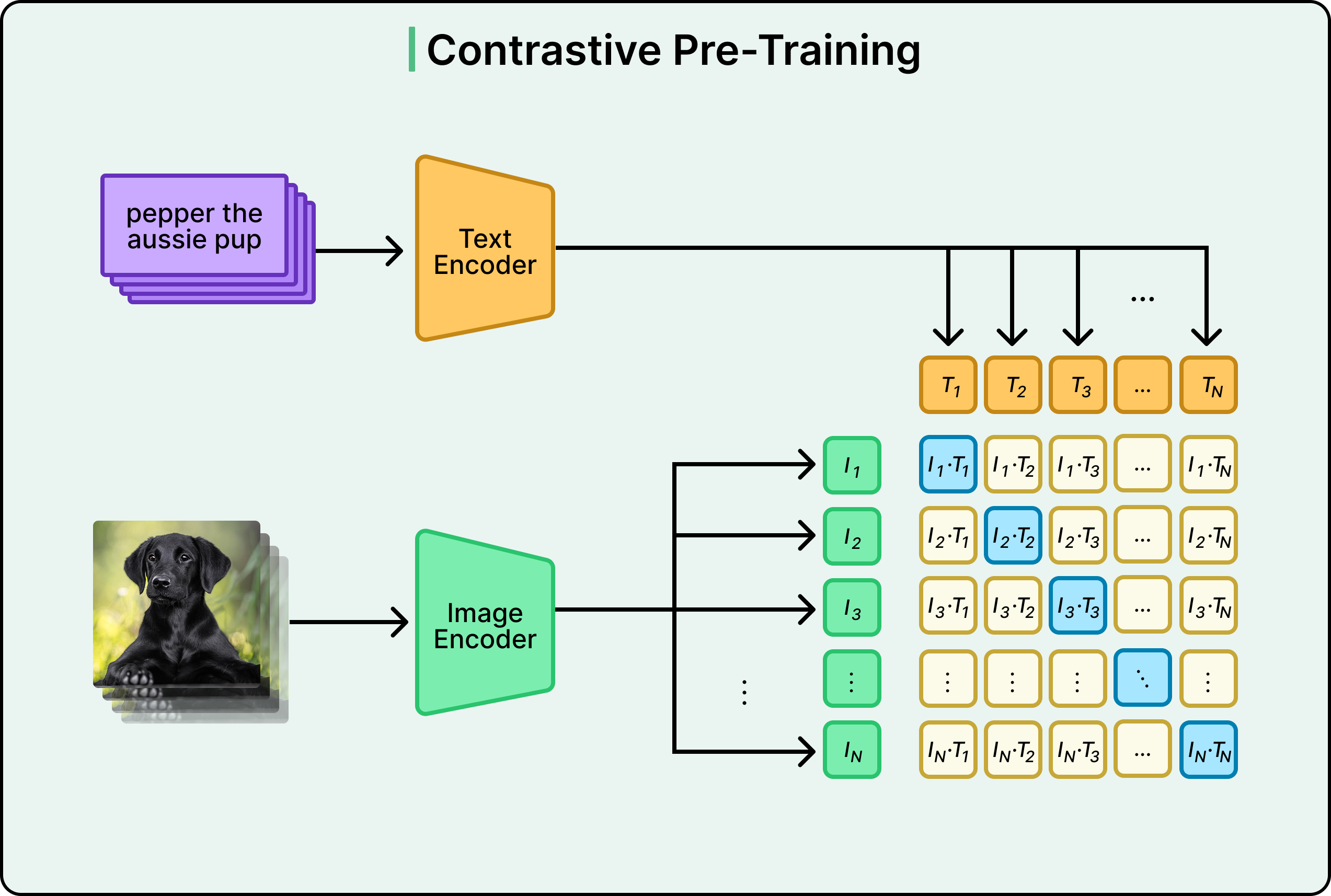
However, the quality of the descriptions directly affects accuracy. “Meme” as a label is vague, but “a humorous image with text overlaid on an image” gives the model something specific to match against. That’s why writing good descriptions as prompts for each category matters.
Another reason CLIP fits well here is its size. Vision LLMs capable of understanding image content in similar depth are usually 7–70 billion parameters (models like LLaVA or Qwen-VL) and would take hours to process 70,000 images on consumer hardware like a MacBook. CLIP’s ViT-L/14 is a pure encoder with no generative overhead, sized under 1GB, and processes images in large parallel batches. For a task like this that just needs a category label, it’s the right tool.
Running Locally, Entirely Private
In the whole flow, each and every image stayed on my machine. I didn’t have to worry about uploading any sensitive information to the cloud.
The ViT-L/14 variant of CLIP weighs about 890MB and fits comfortably in memory. On my M1 MacBook Air with 16GB of unified RAM, it peaked at ~4GB, leaving the rest free. Apple’s Metal GPU acceleration (MPS) helped the model run on the GPU without any special setup.
It was processing the 70,000 images in batches of 64, and the whole process took about three hours. Compared to the weeks of manual sorting effort that would have taken, it was very much worth it.
Prompt Ensembling
Since CLIP’s accuracy depends heavily on how you describe each category in text, rather than using a single label like “Meme”, I wrote four descriptive prompts per category and averaged their text embeddings:
"an internet meme with text overlay on an image"
"a funny meme image with a caption"
"a viral internet joke image with text"
"a humorous image macro with white text"
This technique is called prompt ensembling and it can squeeze 3–5% more accuracy out of the model. In this task, CLIP’s confidence scores also needed a temperature correction: applying the model’s learned logit_scale parameter sharpens the probability distributions, which without it are nearly flat across 13 categories.
Images where CLIP’s top confidence score fell below a threshold were sent to a _Review folder where they could be manually checked, without being silently miscategorised. In my image set, only about 1% ended up in _Review.
It should be noted that the accuracy gap is real, CLIP occasionally confuses a selfie for a person photo, or a chat screenshot for a document. But for a large archive where no sorting was going to happen otherwise, it was more than good enough. The tradeoff was obvious: 1% of images that landed in _Review can be sorted manually in minutes, not hours.
What Surprised Me
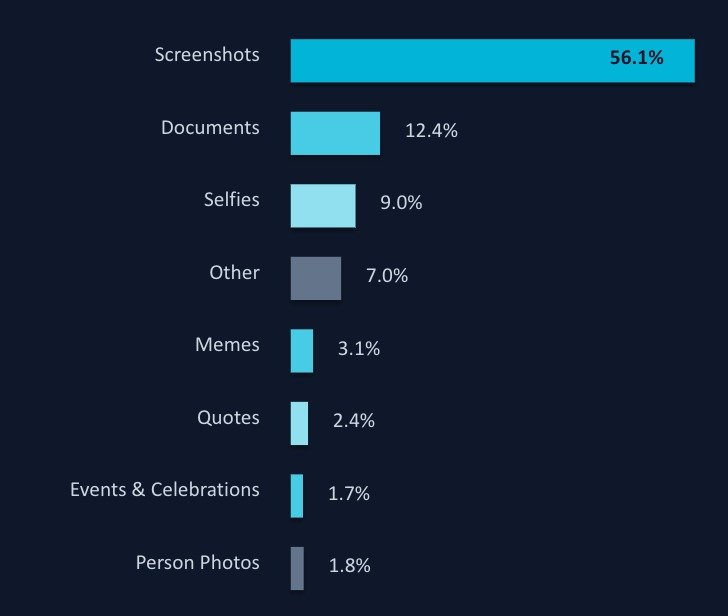
The category distribution was unexpected. Of the 70,000 images processed, 56% were classified as Screenshots, far more than I expected. It’s a reminder of how much useless noise we accumulate in our digital lives. Only about 4600 images were worth keeping, and the rest were mostly junk.
Confidence scores were also remarkably polarised: the median confidence was 0.83, and the 90th percentile was 0.999. CLIP either knows what it’s looking at, or it admits it doesn’t. That binary quality made it a genuinely useful triage tool for a task like this.
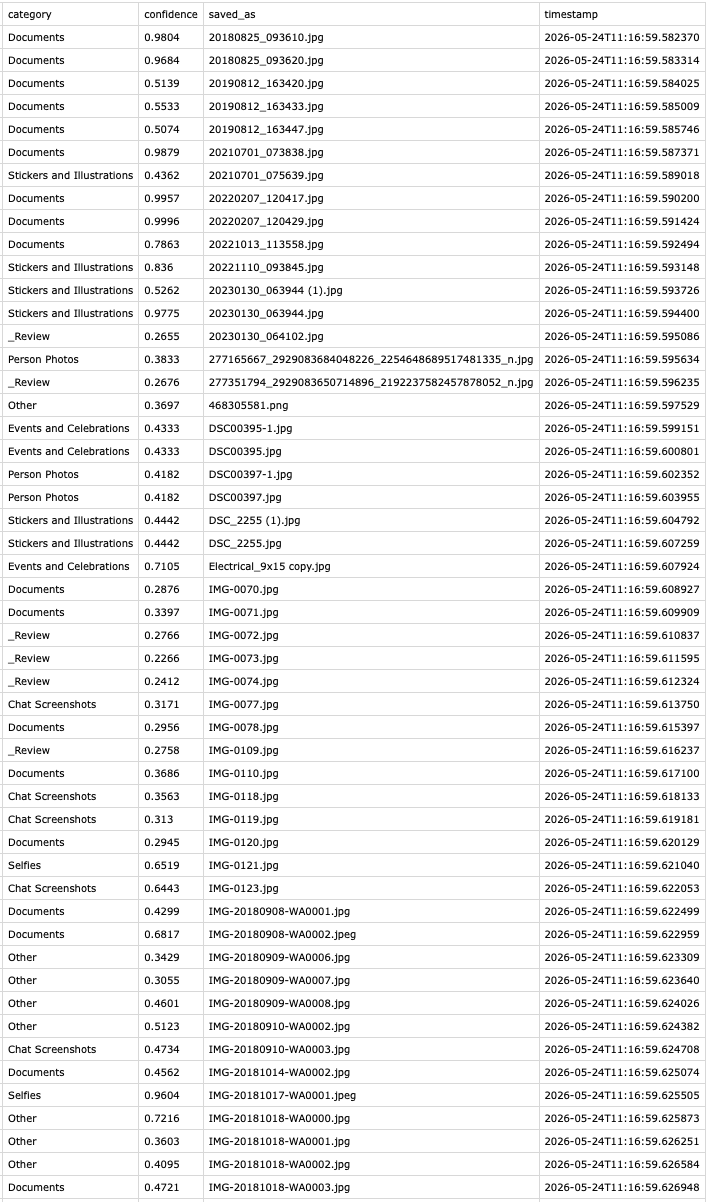
Once the images were sorted, I could easily scan through the short list of person photos and find the specific one I was looking for.
But more than that, the payoff goes beyond a single photo. Now I know things that are actually worth keeping. I can back those up properly, and delete the junk without being worried about losing anything important.
If you want to run this yourself, the full code is on GitHub:
Thanks for reading! If you have any questions or want to share your own experiences with sorting large photo archives, feel free to reach out.