Stay ahead of the Information Overflow - Shift to Personalized Podcasts
Stay ahead of the Information Overflow - Shift to Personalized Podcasts

How many links do you have saved in your reading list right now?
I have 12 unread articles saved in my reading list and 2798 unread emails in my inbox.
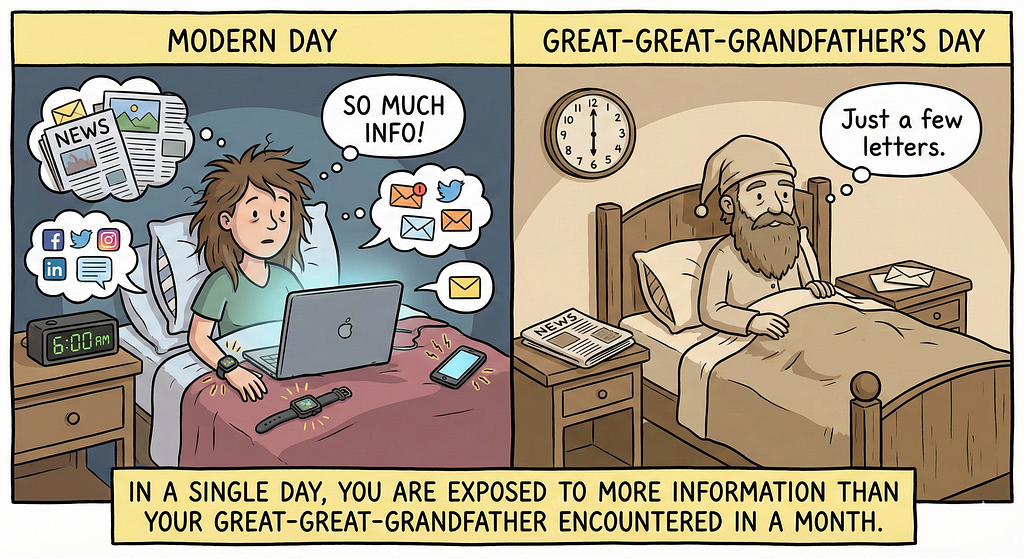
In a single day, from the moment you wake up to the time you go to bed, you are exposed to more information than your great-great-grandfather encountered in a month.
With the advancement of digital media, the volume of information we consume has exploded. It can be a notification on your phone, an email from work, a post on social media or an eBook you are trying to read.
It’s a real challenge to keep up and digest all this information. You no longer have time to simply “sit and read” something.
This article is about how I leverage the power of listening to keep up with the daily overflow of information.
Podcasts
Podcasts have become a popular medium for consuming information. They are convenient, portable, and allow for multitasking.
A 2024 study published in Educational Sciences says:
Podcasts are a powerful medium for self-directed and incidental learning, with listeners actively engaging in knowledge acquisition and retention
The research revealed that listening in the form of podcasts leads to higher trust in content and more active cognitive engagement compared to other learning methods.
Additionally, a study conducted at the Virginia Tech Carilion School of Medicine used EEG to measure brain attention patterns and found that podcast learning produced “significantly better learning gain, and equivalent retention” compared to traditional textbook reading.
The problem
But which podcast should I listen to?
There are thousands of podcasts available on various topics. But they do not cover everything I want to know right now. They are not created based on the specific news article I want to read or the specific technical report I have to read and understand before my next meeting.
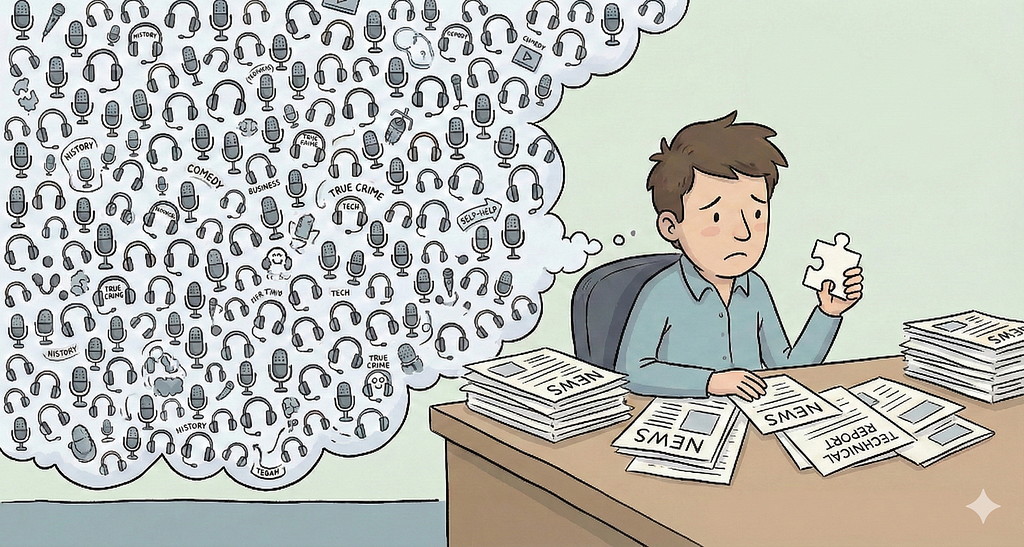
What if there was a way to get personalized podcasts that are tailored for you?
Here are three methods I follow, with a little help from Gemini.
1. Google Chrome Mobile “Listen to this page”
This is a fairly recent feature in Google Chrome Mobile that converts text heavy web pages into a podcast style audio.
It’s not the traditional text-to-speech (TTS) that we are used to. Text-to-speech just reads the text top to bottom in it’s monotone robotic voice.
The “AI Playback” feature under Listen to this page generates a conversational podcast style dialog between two AI voices, summarizing the key points of the page.
Take this recent news article for example. It’s a bit text heavy article:
France plans social media ban for children under 15: reports - Newswire
When I visit the page in the Google Chrome Mobile browser, and select “Listen to this page” from the menu, within few seconds it created a 1 minute and 15 seconds long podcast style audio summary of the article.
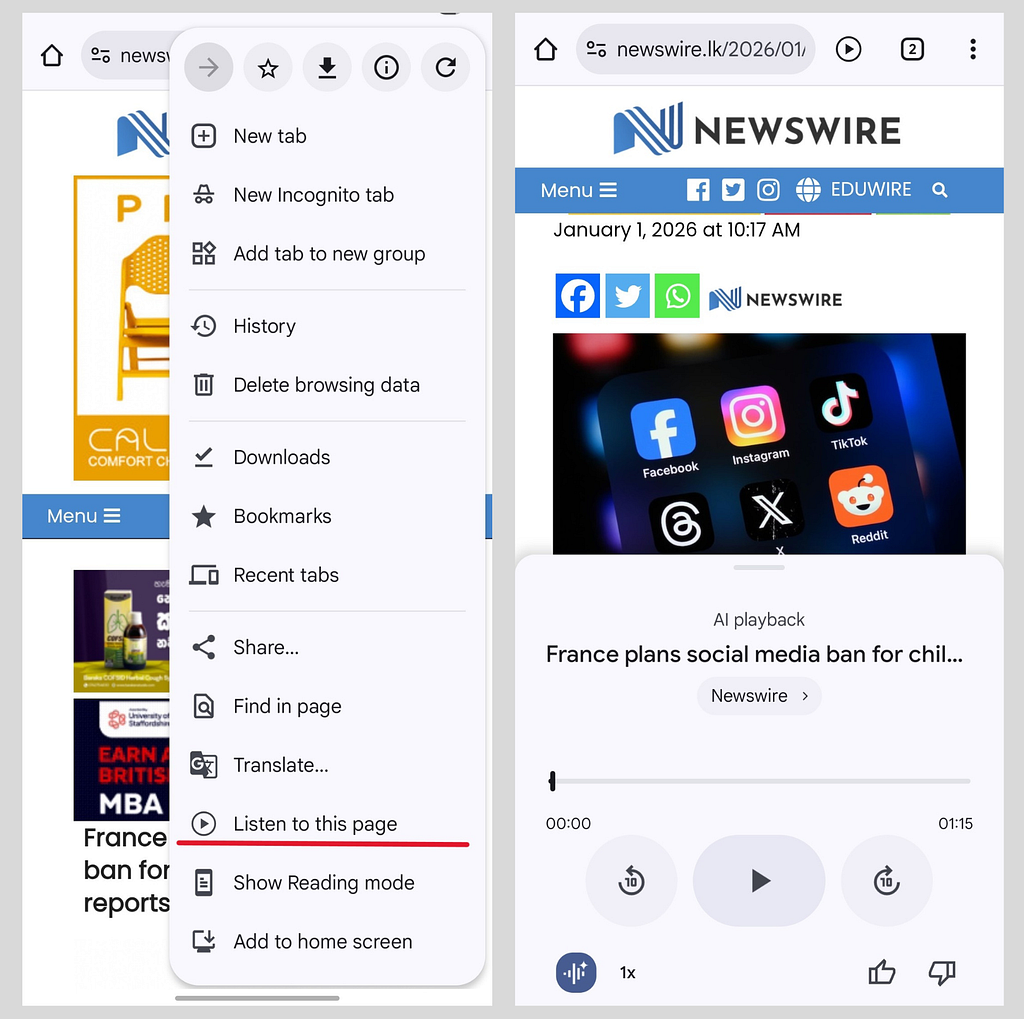
When I hit play, the audio goes on like this:
Voice 1:* France is considering a social media ban for children under 15, what’s the background on this?*
Voice 2:* Okay, according to reports, the French government is responding to growing concerns about the risk of excessive screen time and online harms. And this initiative follows previous attempts to regulate digital access for young people including a mobile phone ban in schools.*
Voice 1:* What challenges has France faced in implementing such a ban?*
Voice 2:* A previous attempt to set a digital legal age of 15 was stalled due to conflicts with EU rules…*
And the discussion continues.
It has summarized the key points of the article in a engaging conversational format, making it easy to consume while on the go.
However, there are few points to note:
- At the time of writing, this feature seems to be available only on Android. iOS Chrome App does not have the “Listen to this page” or the “AI Playback” options yet.
- You may notice that the “Listen to this page” option does not appear on every website. It works best on text based articles, but it will not work on content behind paywalls/authwalls or copyright protected content.
- The summary will be biased based on the source content. It’s basically a reflection of the webpage in a different format. If the article is biased, the summary will be biased too. If the article has inaccuracies, the summary will be inaccurate.
2. Google Drive PDF Audio Overviews
This is another recent feature in Google Drive that generates audio summaries for PDF files stored in your Drive.
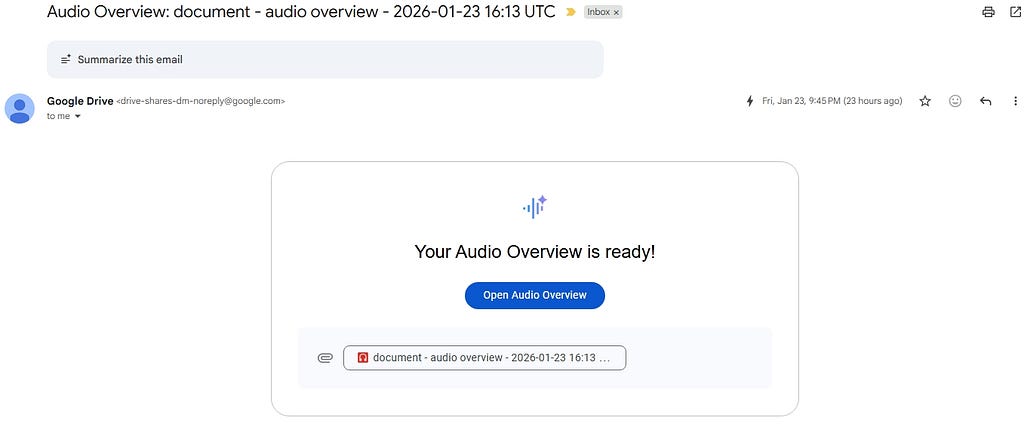
You can open a PDF file in Google Drive and select “Create audio overview” to generate a podcast style summary of the document. Once it’s generated, it will be saved in an “Audio overviews” folder in your Drive and you will get an email with the link.
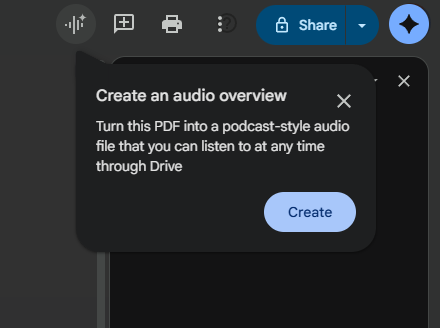
This feature is great for quickly reviewing lengthy technical documents or reports while multitasking.
I no longer have to skip the long documents in our architecture email group. A document that takes 30 minutes to read can be summarized into a 5 minute audio overview.
3. NotebookLM Audio Overviews
If you are not familiar with NotebookLM, it’s an research tool from Google that helps you synthesize information from multiple sources.
| [Google NotebookLM | AI Research Tool & Thinking Partner](https://notebooklm.google/) |
According to NotebookLM homepage:
Upload PDFs, websites, YouTube videos, audio files, Google Docs, Google Slides and more, and NotebookLM will summarize them and make interesting connections between topics, all powered by the latest version of Gemini’s multimodal understanding capabilities.
The particularly interesting feature for me is the “Audio Overview” that generates a podcast style deep dive discussion between two AI hosts based on all the sources you have uploaded.
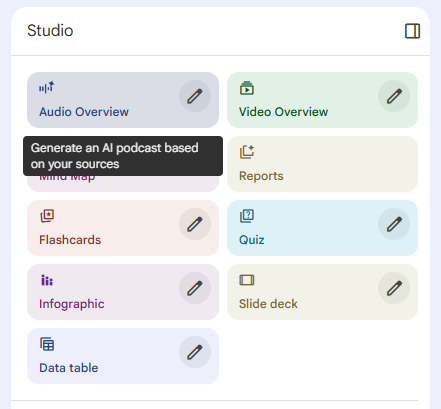
This is different from the PDF to audio overview feature in Google Drive. Here, the conversation you listen to is based on multiple sources that you share, or NotebookLM finds for you.
This provides the ability to have a more comprehensive understanding of complex topics based on the various perspectives presented in the different sources.
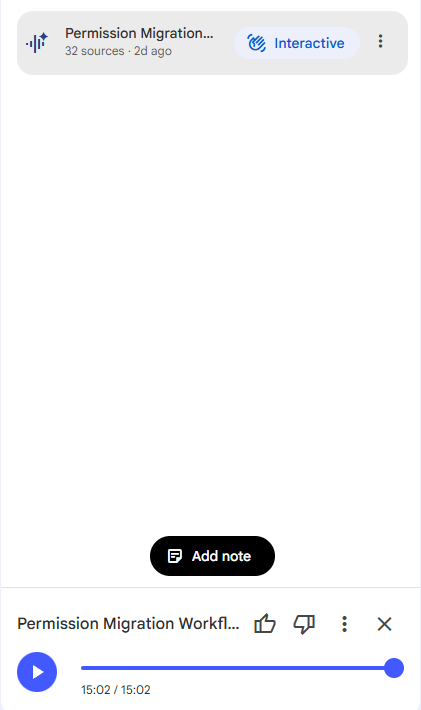
The two voices discuss the key points, contrasting arguments, and connections between the different sources you have provided. It’s like having a personalized podcast episode tailored to your specific research.
Unlike the earlier two methods, this let’s you join in the conversation by switching to the **Interactive **mode. You can literally speak to the virtual hosts and ask follow up questions or request clarifications!
When I select the interactive mode, the host pauses and invites me to ask a question:
Voice 1: It seems one of our listeners wants to join in. Go ahead, what’s your question?
After I ask my question, the host responds and continues the discussion.
Finally, it should be noted that while these artificial podcasts are powerful tools for consuming a large volume of information quickly, they should not replace deep reading and critical thinking.
Hallucinations, inaccuracies, sycophancy and biases are a few real issues with LLM generated audio content that we should be aware of. And I always find the voices overly enthusiastic about every topic!
A recent study from Wharton found that while LLM generated summaries help users learn faster, they can lead to a “flattening” of understanding, where users remember fewer concrete details compared to reading the full text.
It is always good practice to use the podcast format summaries to get an overview first, and then dive deeper into the specific documents when necessary for a more thorough understanding.

By leveraging podcast style summaries, we can stay ahead in the overflow of information while still maintaining critical engagement with the content.
Let me know your thoughts and experiences if you try this out!
(Graphics created with Gemini Nano Banana Pro)