Securing Remix Apps with Asgardeo - Part 2
Securing Remix Apps with Asgardeo - Part 2
In the previous part of this article, we explored how to secure Remix applications using Asgardeo by implementing user login and logout functionality. We set up a basic Remix app, integrated Asgardeo as the Identity Provider (IdP), and implemented the login and logout capabilities.
You can read the first part of the article here:
Securing Remix Apps with Asgardeo
After a user has authenticated with Asgardeo, the application might need to access the user information to provide a personalized experience. In this part, first we will see how to access the user information.
Access User Information
You can see that when creating the app/utils/asgardeo.server.ts file, we defined an async callback function of the type StrategyVerifyCallback to return user information. This function is called when the user is authenticated and parameters accessToken, refreshToken, extraParams and profile are passed to the function.
Let’s add some logs to the callback in the app/utils/asgardeo.server.ts file and see the available user information.
Now, when you login with Asgardeo to the application, you can see the information received from Asgardeo in your terminal.
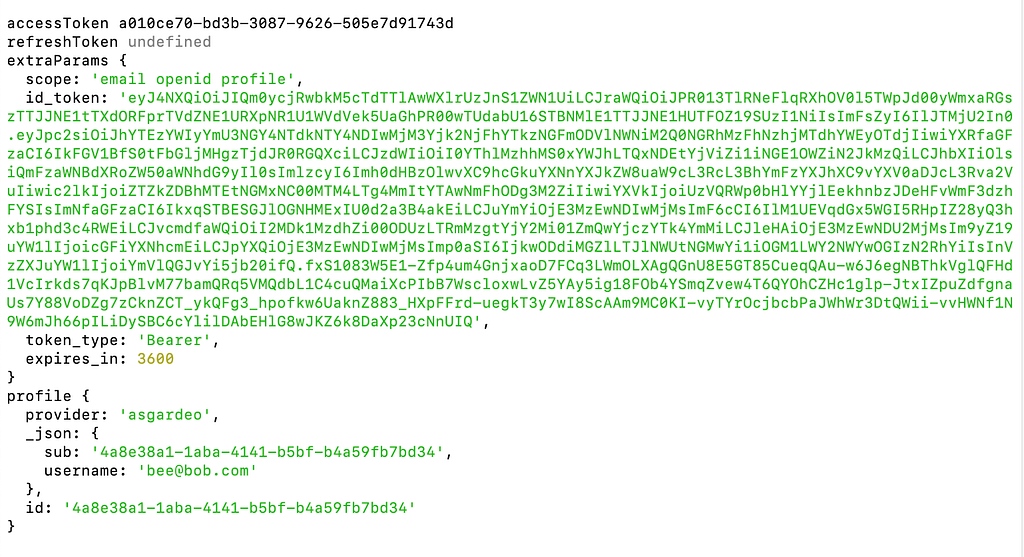
User information will be available in the ID token provided by Asgardeo. Decoded user information from the ID token will be available in the profile object. You can see that only the user id and the username are available in the ID token by default.
Let’s see how we can show other details such as a user’s first and last name in the UI. To achieve this, we need to update the required attributes in the Asgardeo console.
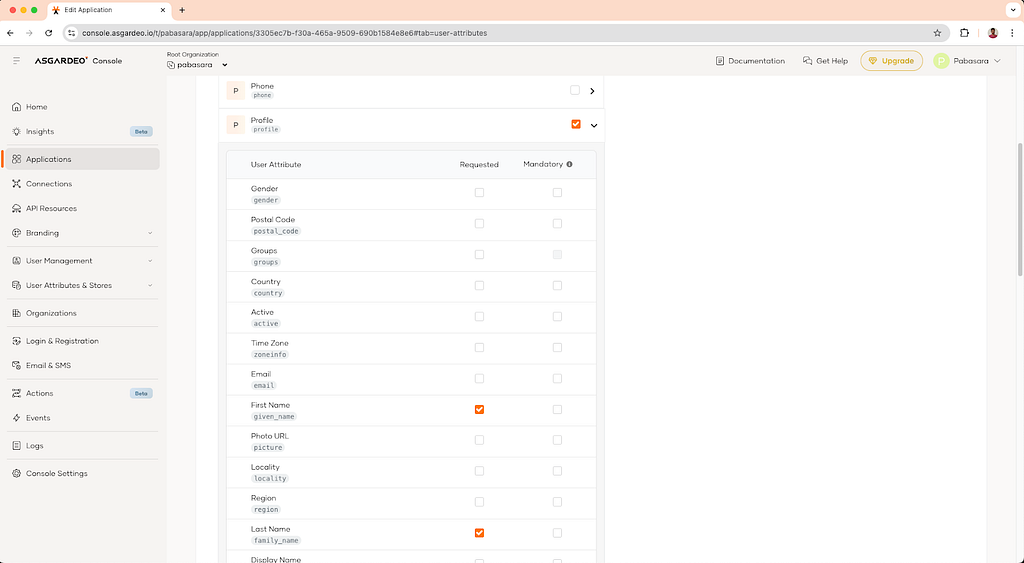
Login to the console and go to the application settings of the application you created. Then go to the User Attributes tab and check the First Name (given_name), Last Name (family_name) and Email (email) under the **Profile **scope. This will tell Asgardeo to send the checked attributes under the **profile **OIDC scope.
Once these attributes are sent from Asgardeo, you will see that they are available in the profile object when the user logs in.
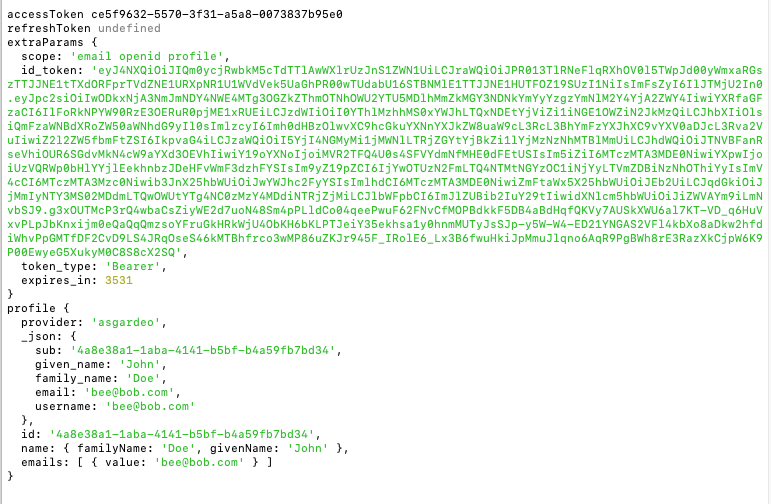
Now we can modify the app/utils/asgardeo.server.ts file to include the new attributes in the User object.
Next, we will modify the app/routes/_index.tsx file to show the user profile information.
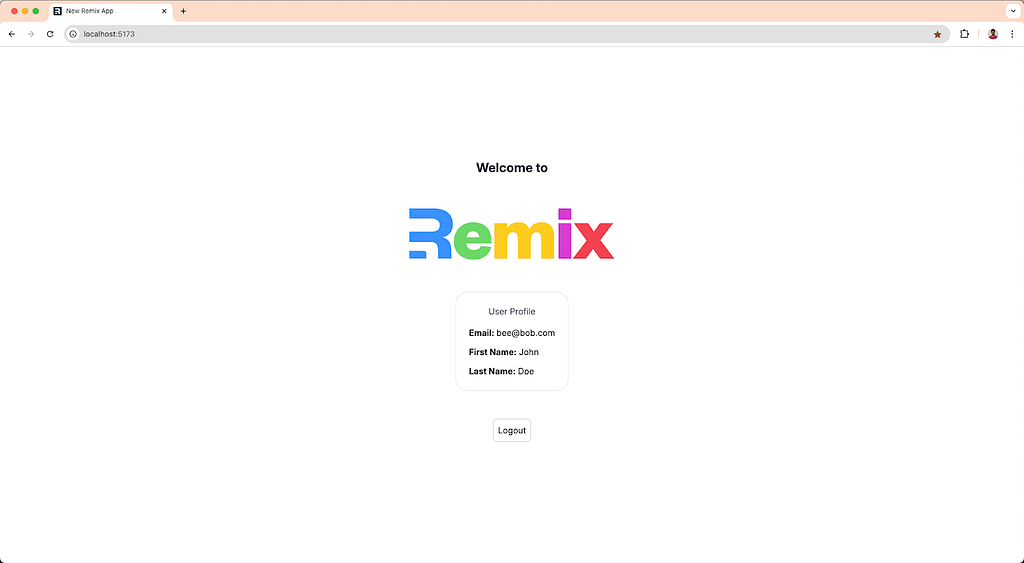
Now when you login with Asgardeo, you will see the user profile information.
Accessing Protected APIs from Your Remix App
We’ve already covered the key steps for adding user login and managing authentication in your Remix app. To recap, during user login both an ID token and an access token is provided.
So far, we’ve been using the ID token to establish the logged-in user’s context. Now, let’s shift our focus to the access token, which is crucial for calling secure APIs from your Remix app.

The access token is typically used when your application needs to interact with a secure backend API. This token contains the necessary permissions (or “scopes”) for making API requests on behalf of the authenticated user. In this section, we’ll explore how to use this token to make authenticated API calls from your Remix app.
For simplicity, let’s assume that the APIs you’re calling are secured by the same Identity Provider (IdP) and share the same issuer - in this case, the same Asgardeo organization. This setup is common when your Remix app is interacting with internal APIs that belong to the same organization.
In Asgargeo, scim2 REST API implements the SCIM 2.0 Protocol according to the SCIM 2.0 specification. scim2/Me is a protected endpoint that returns the user details of the currently authenticated user. We will call this endpoint in this section to get the user details.
Obtaining the Access Token
To use the access token in the application, we need to return it inside the AsgardeoStrategy callback.
If we refer to the scim2/Me API docs in Asgardeo, we can see that the internal_login scope is required for this API to work. Let’s add this scope as well and retrieve the access token with it (If the scope is not defined explicitly, only openid, profile and email scopes are sent).
First, we’ll define this endpoint in our .env file as follows:
ASGARDEO_SCIM_ME_URL=https://api.asgardeo.io/t/<asgardeo_organization_name>/scim2/Me
Modify the app/utils/asgardeo.server.ts file as follows:
Access scim2/me endpoint
Then using this endpoint, we will update the Index page to get the user details from the scim2/Me endpoint instead of the ID token like we did before. To access this endpoint, we need to use the access token of the currently logged in user.
The updated code for the app/routes/_index.tsx file will be as follows:
Using the built-in fetch API in JavaScript, we are calling the scim2/Me endpoint with the access token.
scim2/Me endpoint returns a lot of useful data of the current user. But we are only using a handful of data to display in the UI, for this purpose we have created an interface UserDetails which we will use to structure the response from the scim2/Me endpoint and return to the client side.
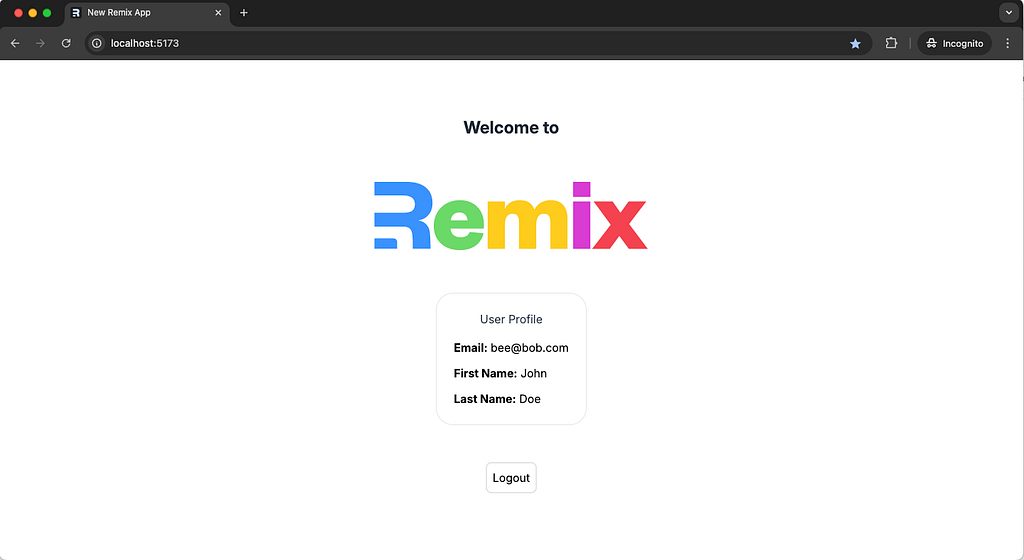
If you login and visit the Index page now, you can see that the profile information is successfully fetched from the scim2/Me endpoint and displayed in the UI.
Now we have a fully functional Remix application with robust user authentication and authorization capabilities with the ability to access user information and call protected APIs.
Next steps
Next you can explore the additional features that Asgardeo offer to make the login flow more diverse and secure.